
Manage every MCP server and skills from one MacOS app — save hours per setup.
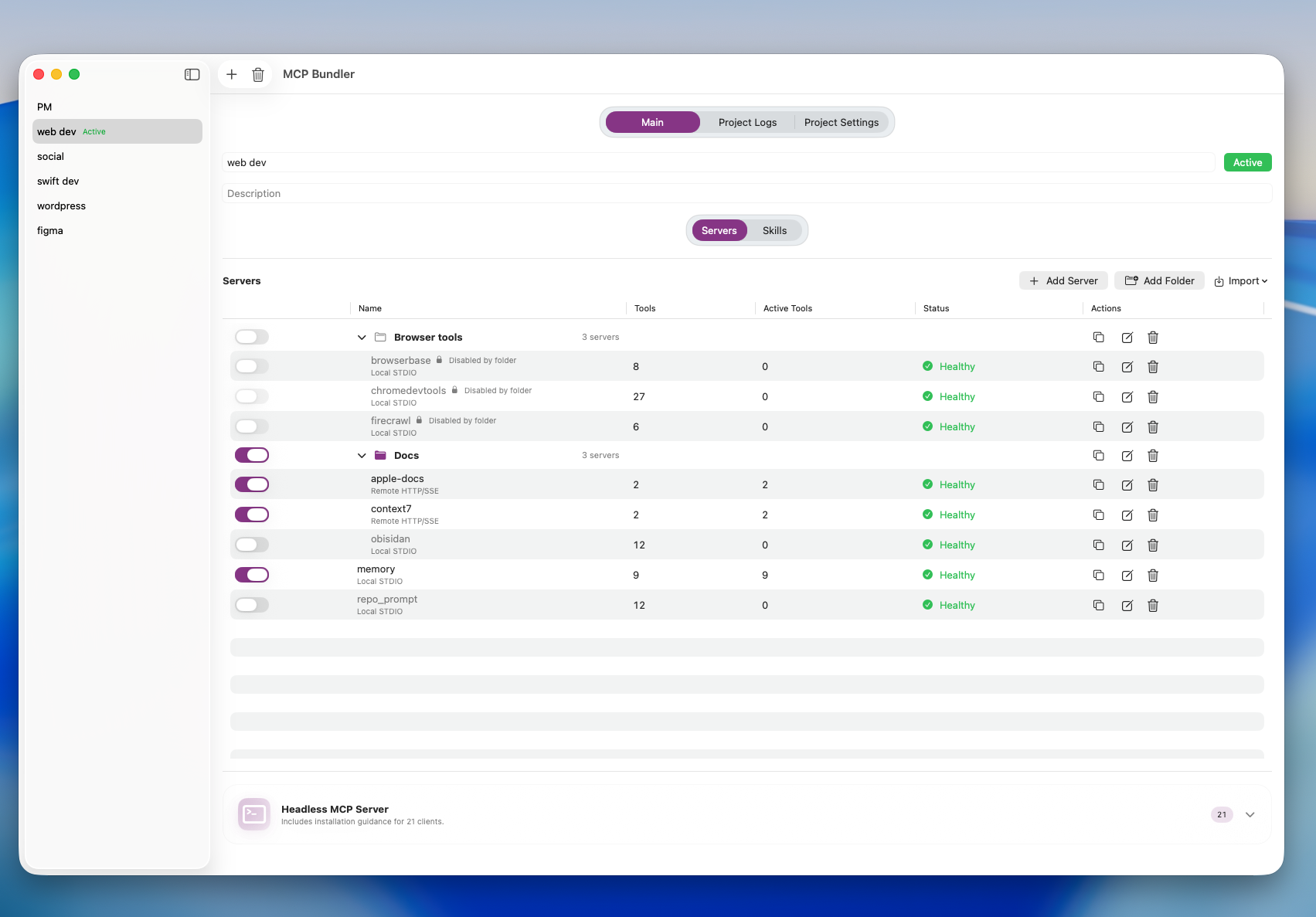
Latest Version: 1.0 (build 27)
Published: 16 Jan 2026
# MCP Bundler 1.0 (Build 27) — 2026-01-16

## 2026-01-16
- **Now free + OSS soon.** MCP Bundler is now free, with open-source release planned at https://github.com/eugenepyvovarov/MCPbundler.

## 2026-01-12
- **Skills Marketplace filters + metadata.** Added author/tag display with clickable pills, tokenized filters with autocomplete (including counts), and total skill counts in the marketplace sheet.
- **$AISKILLS support token.** Support development by purchasing the token at https://bags.fm/2D2r9bmrR813VfXw6nEjuzoWboD9k3ior53zybasBAGS.
- **$AISKILLS access gate.** Added Solana wallet verification, manual grant-based login (with Phantom QR), all the owners of 1M+ $AISKILLS can use app without license purchase.

## 2026-01-09
- **Integrity repair on startup.** Added a safe-mode prompt that scans for duplicate aliases, orphan env vars, and corrupt capability caches with sqlite backup/repair.
- **Snapshot hardening.** Snapshot aggregation now tolerates duplicate tools/prompts/resources and logs warnings instead of crashing.
- **Capability cache hygiene + tests.** Latest-only cache writes, corrupt servers auto-disabled during repair, and new integrity tests.
- **STDIO list change notifications.** Bundled server now emits MCP list_changed updates for tools/prompts/resources on snapshot revision changes.
- **Faster list refresh triggers.** Active project switches and server/folder toggles rebuild snapshots to notify stdio clients promptly, with tests.

## 2026-01-07
- **More reliable server checks.** Servers still connect if they say they have Resources/Prompts but those lists are missing.
- **Better Recent Logs.** Local STDIO servers now send their output (including test runs) into Recent Logs.
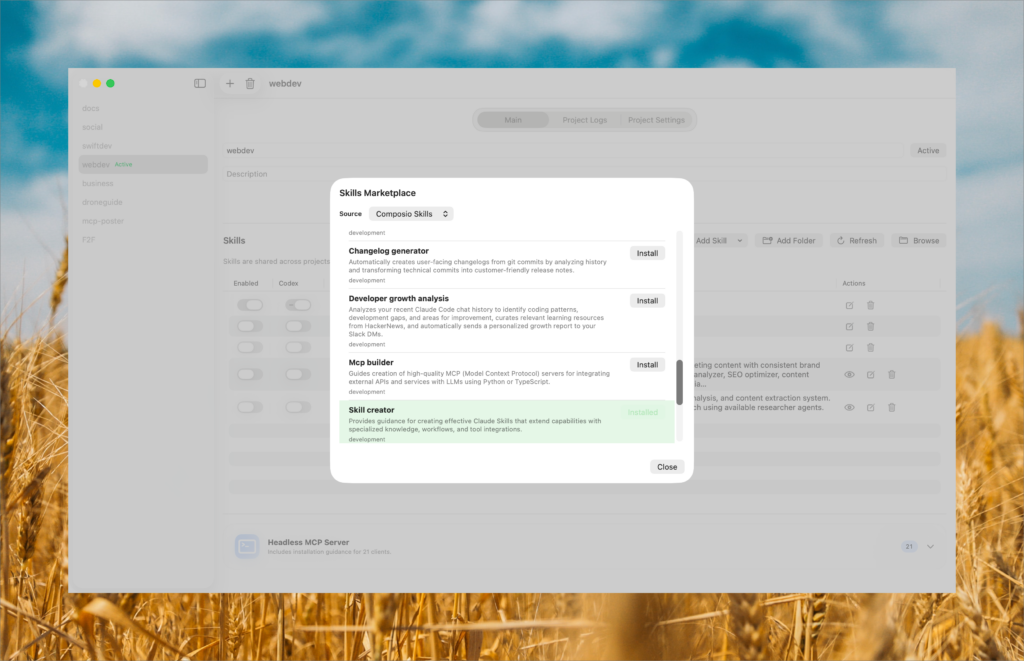
- **Skills Marketplace upgrades.** Added the MCPBundler Currated Marketplace by default and a new Category filter with cleaner names.

## 2025-12-26
- **Cleaner enable/disable behavior.** Turning off a folder now removes those exports, and turning a skill back on clears any disabled copies.
- **Delete really deletes.** Removing a skill from MCP Bundler also removes its exports from managed locations.

## 2025-12-24
- **Skills marketplaces.** Added GitHub marketplace sources with manifest caching, skill-only filtering (SKILL.md checks), and a default marketplace source.
- **Marketplace UI updates.** Added a skills count column, installed state styling, and updated the marketplace sheet title/controls.
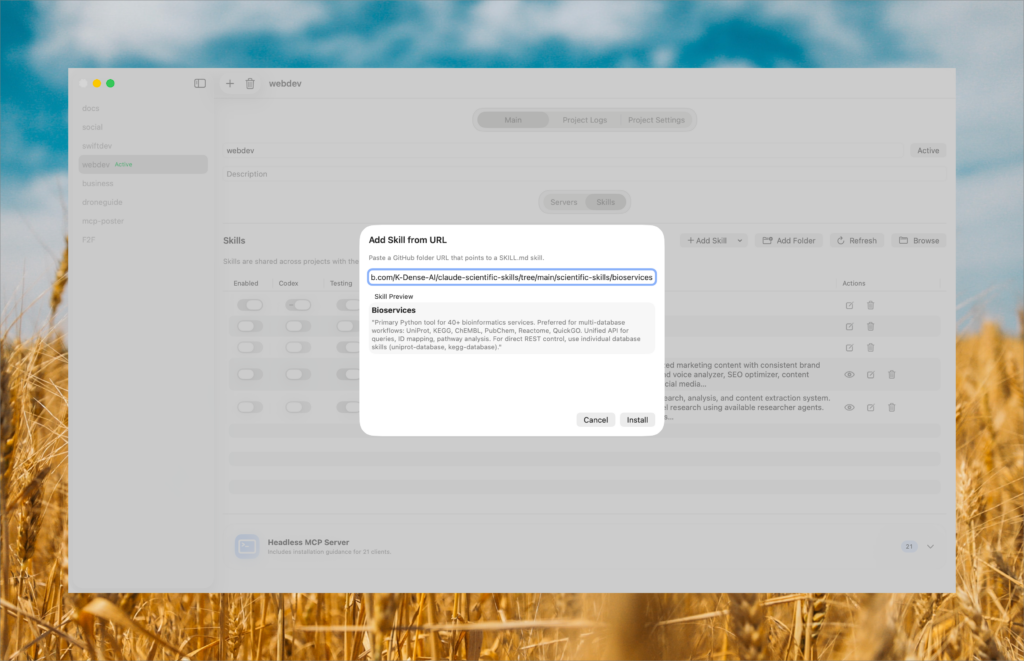
- **Add skill menu + URL install.** Replaced Add Skill buttons with a dropdown menu, added GitHub folder URL installs with SKILL.md preview and confirmation, and mirrored marketplace install behavior.

## 2025-12-19
- **Multi-location skills sync.** Added global skill sync locations + per-location enablement with backfill from legacy Codex/Claude preferences and manifest/tool updates for arbitrary location IDs.
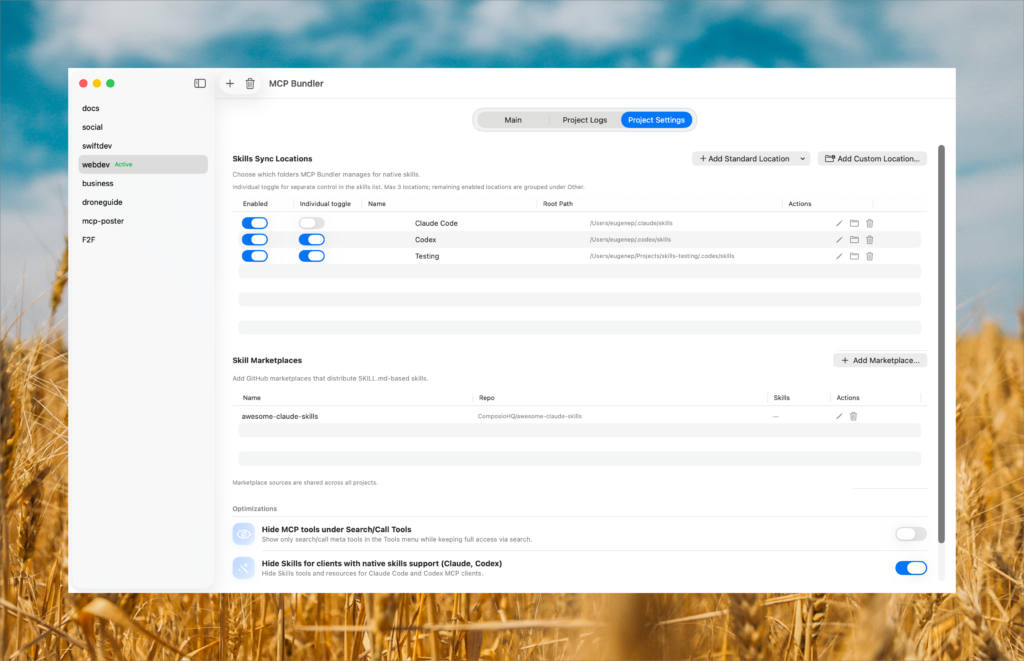
- **Skills sync locations management.** Added an embedded settings table to add standard/custom locations, enable/disable, rename, browse, delete, and pin up to three individual toggles; remaining enabled locations are grouped under Other.
- **Skills list updates.** Dynamic per-location columns and automatic Other toggles across project/global skills lists, using standard switch controls.
- **Standard location templates.** Added built-in templates for VS Code, Amp, OpenCode (home/config), and Goose.
- **Tests.** Added migration coverage and updated sync/manifest expectations for multi-location support.

## 2026-01-16
- **Now free + OSS soon.** MCP Bundler is now free, with open-source release planned at https://github.com/eugenepyvovarov/MCPbundler.
01.
Stop wasting time
Stop wasting time configuring MCP servers again and again.
Without MCP Bundler, every MCP client needs its own server setup. It is in every AI app with MCP support.
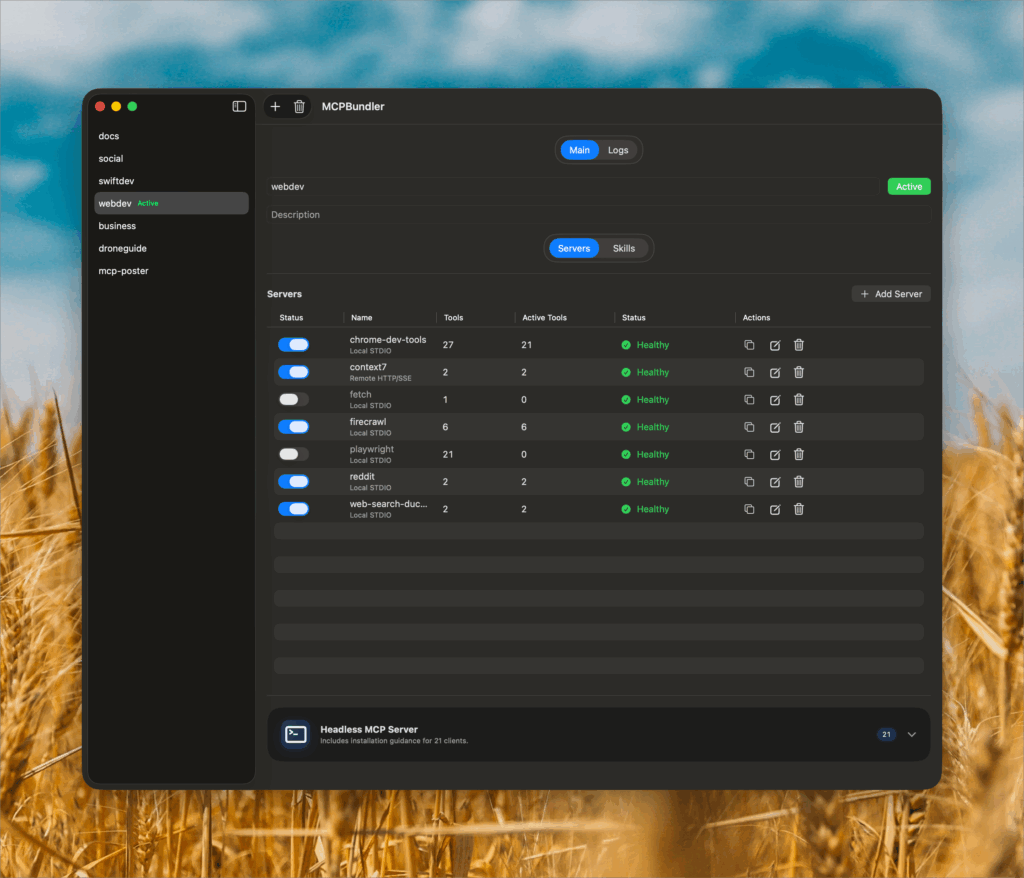
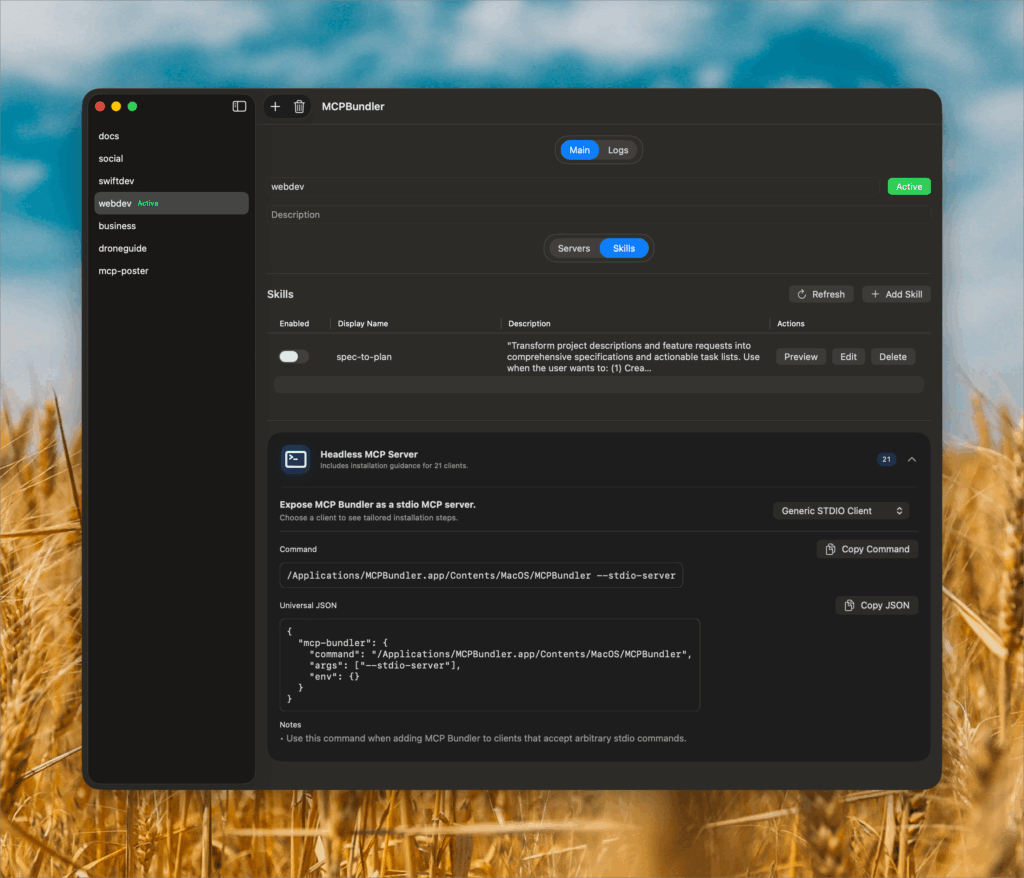
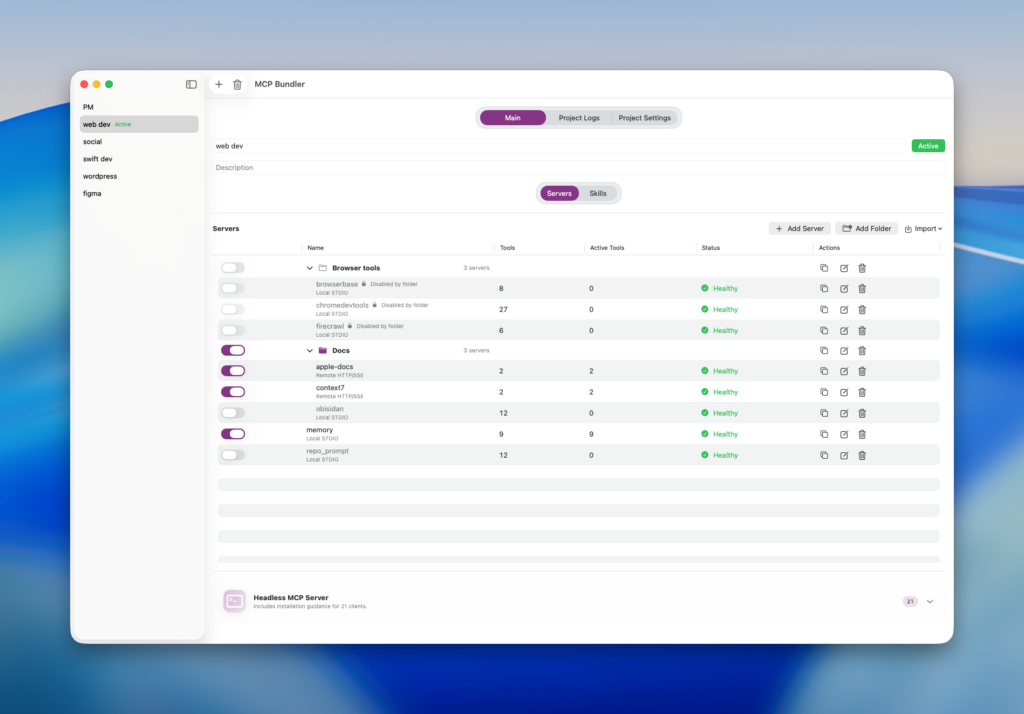
MCP Bundler centralizes all your MCP servers — toggle, group, turn off capabilities instantly. Switch bundles on the fly inside the MCP Bundler.
03.
See it in Action
04.
Core Benefits
Unified Control Panel
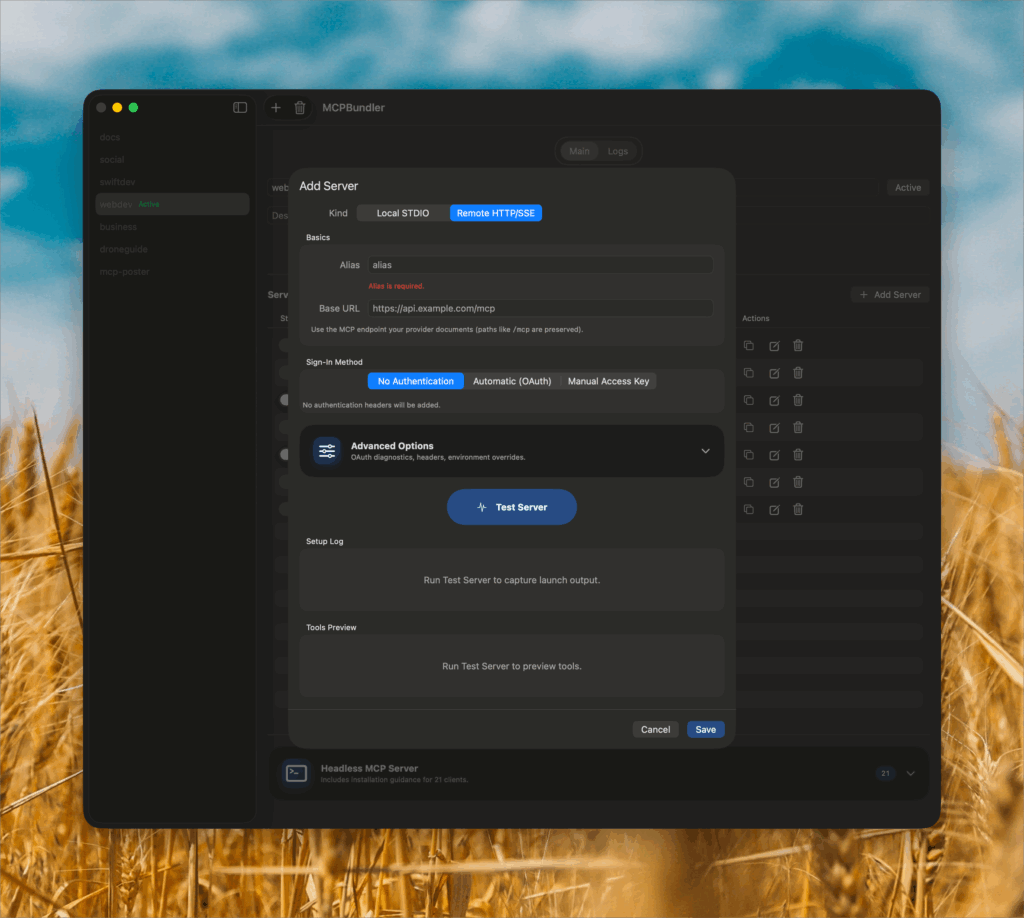
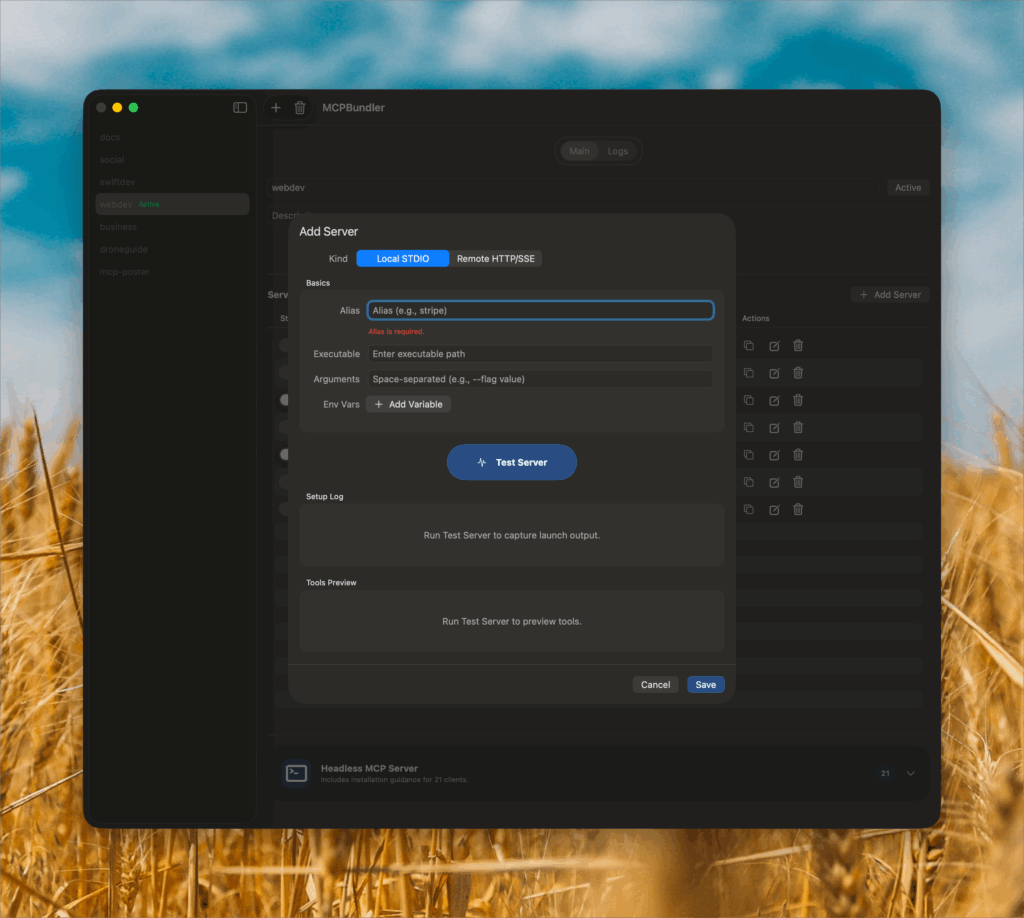
Manage all your MCP servers — both Local STDIO and Remote HTTP/SSE — from one clear macOS window. Start, stop, or edit them instantly without touching configs.
One Click, All Connected
Launch or disable entire MCP setups with one toggle. Switch bundles per project or workspace and keep your AI tools synced automatically.
Per-Tool Control
Enable or hide individual tools inside each server. Keep your bundles clean, lightweight, and tailored for every AI workflow.
Instant Health & Logs
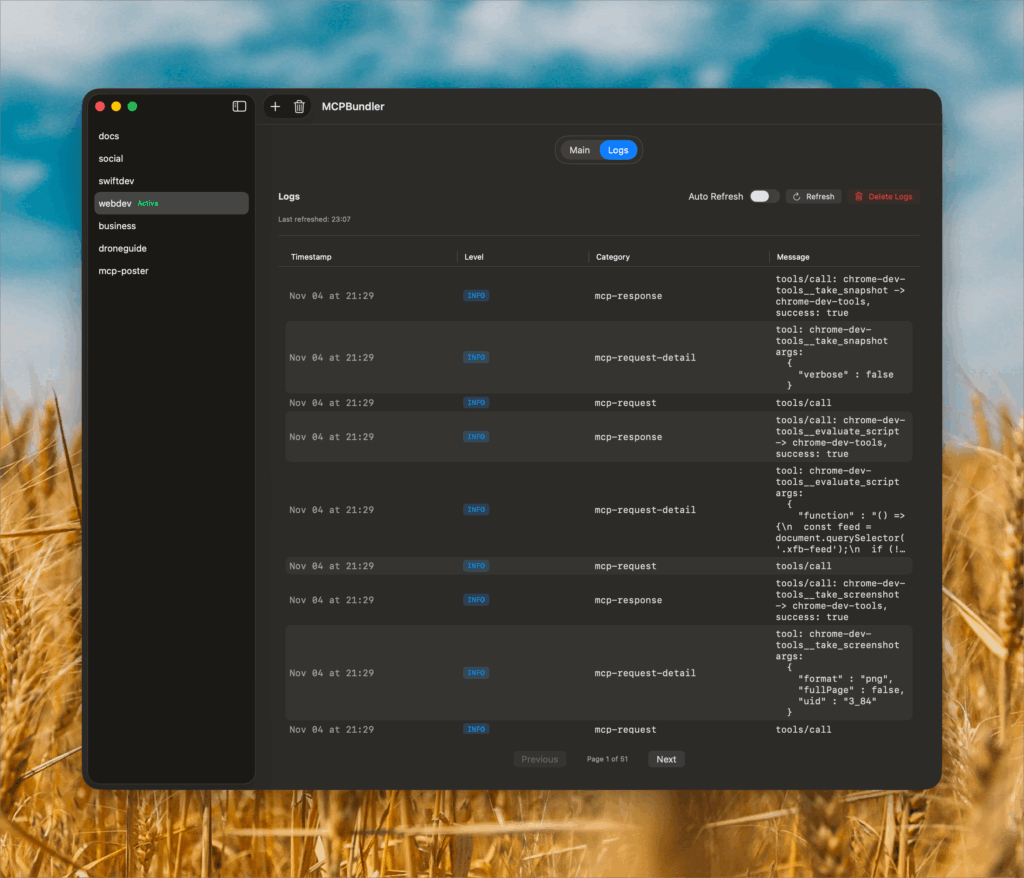
Real-time health indicators and request logs show exactly what’s running. Diagnose and fix connection issues without leaving the app.
Auto-Generate MCP Config
Copy a ready-made JSON snippet for any client in seconds. No manual wiring — connect your Bundler as a single MCP endpoint.
Claude skills support
Allow to use Claude skills with Codex and any other AI tools. Uploaded skills exposed as MCP tools
NEW Hide tools
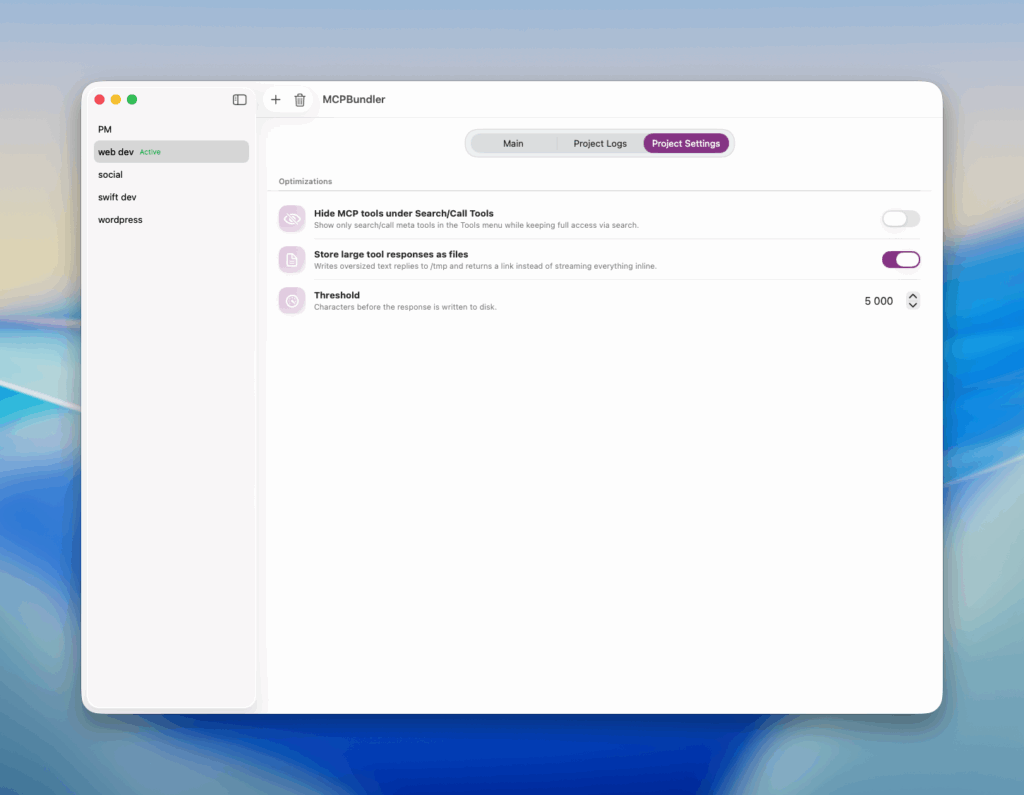
Hide all enabled MCP tools under search_tool/call_tool tools. Should improve context utilization when you have many mcp servers turned on. EXPERIMENTAL: Might not work in some AI Tools(like Jan), but works great in others(Codex, Claude code, LM Studio)
NEW Auto-archive oversized responses
Save huge responses from MCP server to file with a resposne as a link, keeping the context snappy even when your tools write novels. Works great with tools like ChromeDevTools MCP.
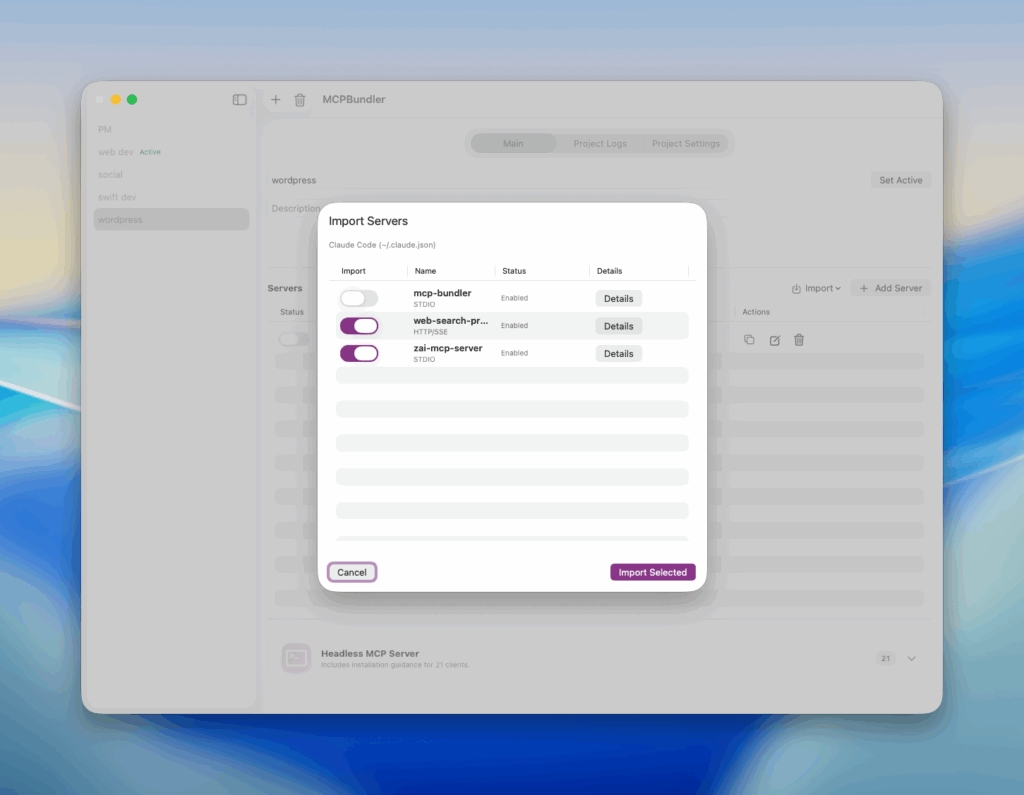
NEW Import MCP Servers
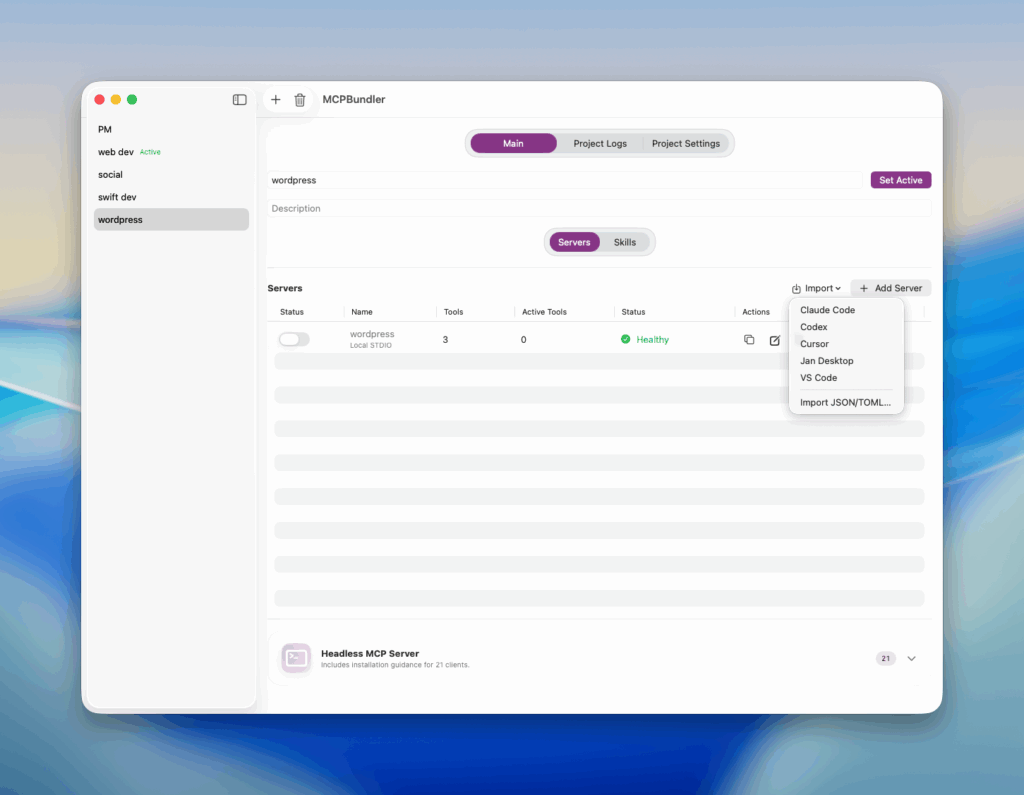
Add servers from Claude, Cursor, VS Code, Jan, Codex, and more with a single click. The new Import button in Project Details automatically detects readable config files, previews every server in a sortable list, and lets you check the ones you want—all with inline error callouts so nothing sneaks past you.
You can also just drop JSON or TOML with MCP Servers config.
05.